21 Oct 2026 · 10 min
Building Tempo, a music sight reading trainer
A typing test... but for musicians
Projects, React Native, NativeWind, RevenueCat, Expo Go, Nest.js, Prisma, Supabase, Google Cloud Run
Contents
- 01. The idea
- 02. Designing the experience
- The test experience
- Practice beyond the test
- Tracking progress and customisation
- 03. Building the app
- Tech stack and architecture
- Keeping practice responsive
- Leaderboards and subscriptions
- 04. The challenges
- Building my own music notation renderer
- Getting audio playback right
- Choosing a backend host
- 05. From development to release
- Testing beyond my own device
- Getting through Google Play
- 06. What's next?
- Getting Tempo in front of people
- Future Improvements
- Takeaway
Available on Google Play store now!
01. The idea
I've been playing the piano since I was four, and have also played the pipe organ and harpsichord. Despite years of playing, I always felt my sight reading was one of my weaker skills. I would often practise until I had memorised a piece rather than actually getting better at reading music.
I eventually decided to do something about it. I wanted a way to practise sight reading regularly, track my progress and get better over time. I had been interested in apps like Duolingo and typing test platforms for a while, and thought the same approach could work for music.
In 2025, I decided to design and build Tempo. I took inspiration from platforms like Monkeytype, where you can start a test, see your results and immediately try again. I wanted to bring that same experience to music, with speed, accuracy, streaks and personal bests to work towards.
The idea was to make sight reading something I could practise in short sessions anywhere, track over time and gradually improve at, rather than relying on playing through pieces and hoping my reading got better.
02. Designing the experience
My main focus was keeping the app straightforward to use while still offering enough depth to be useful over time. I wanted users to spend their time practising rather than navigating menus.
The test experience
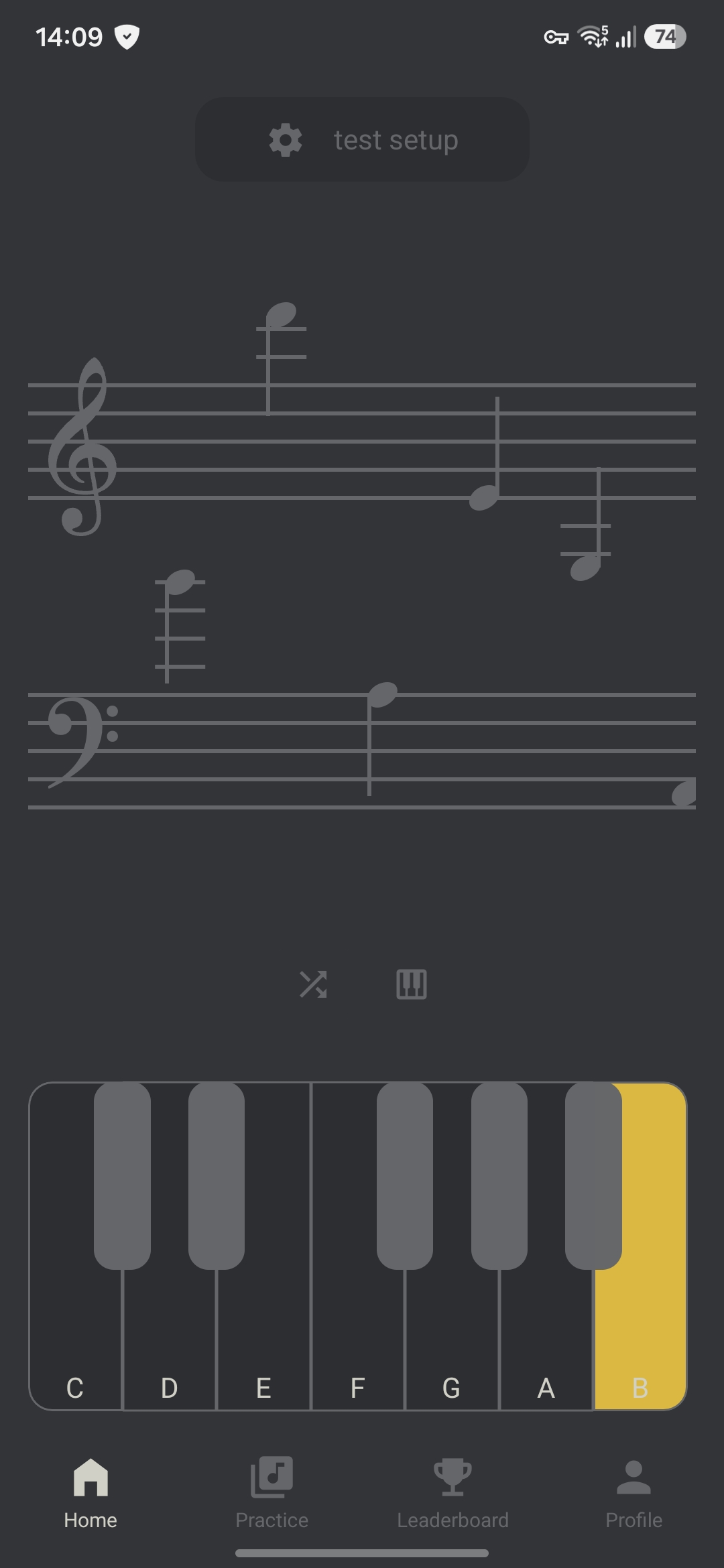
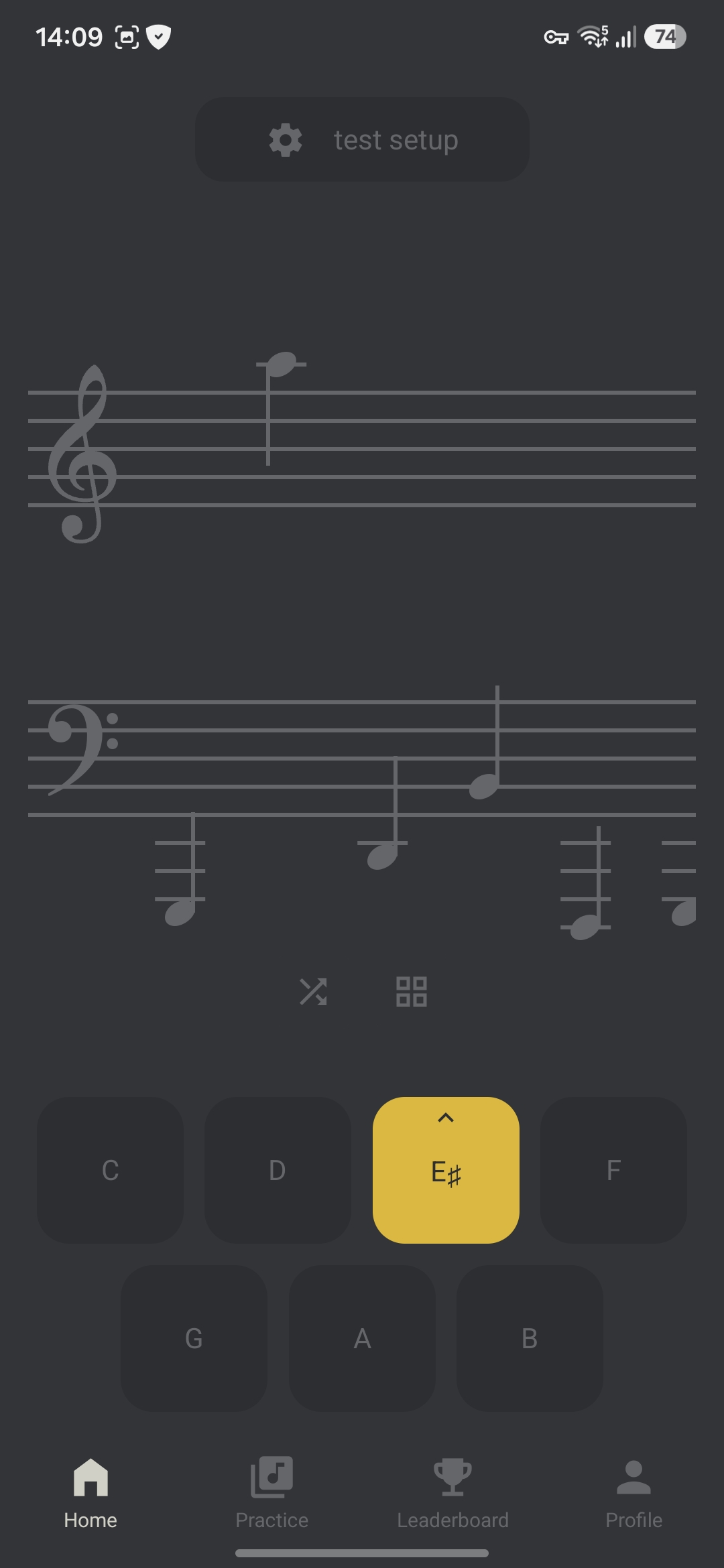
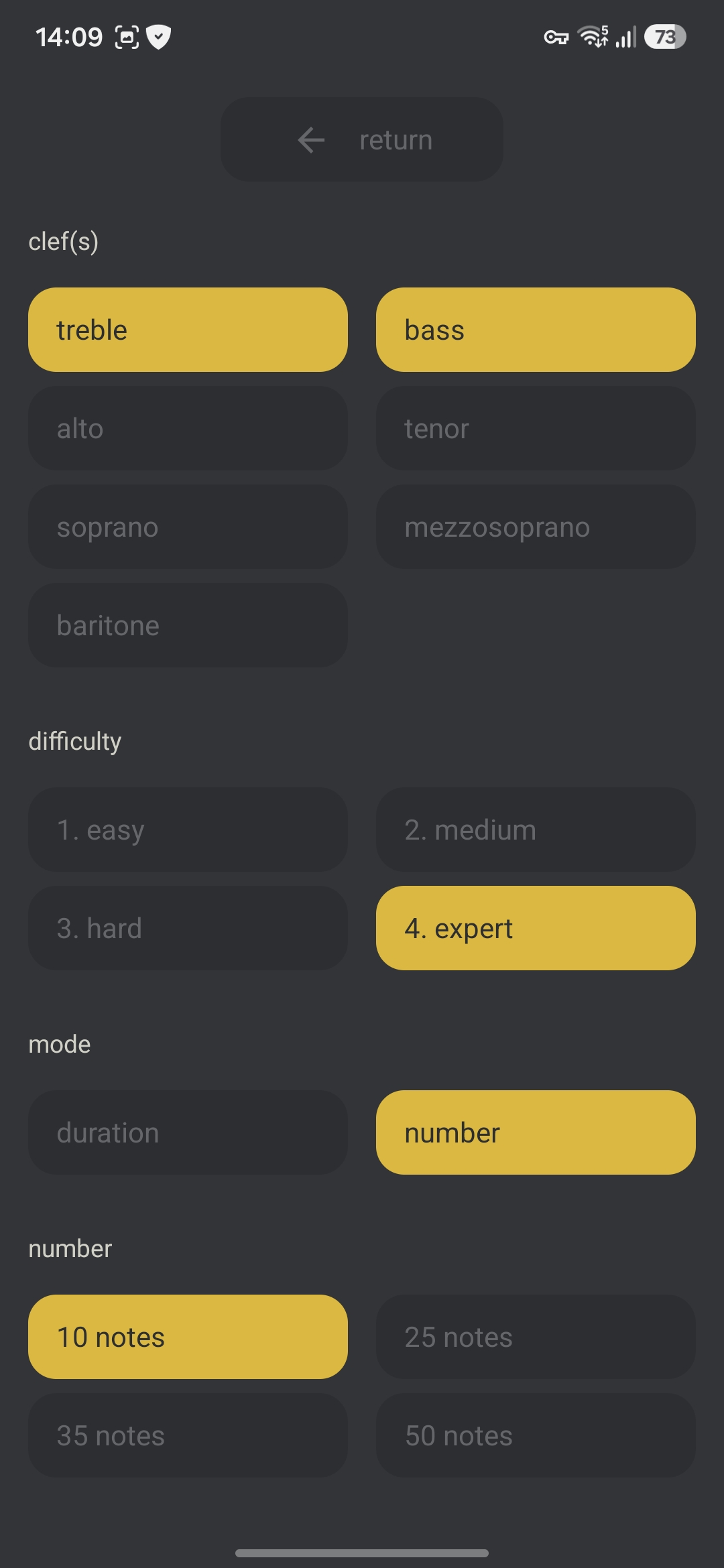
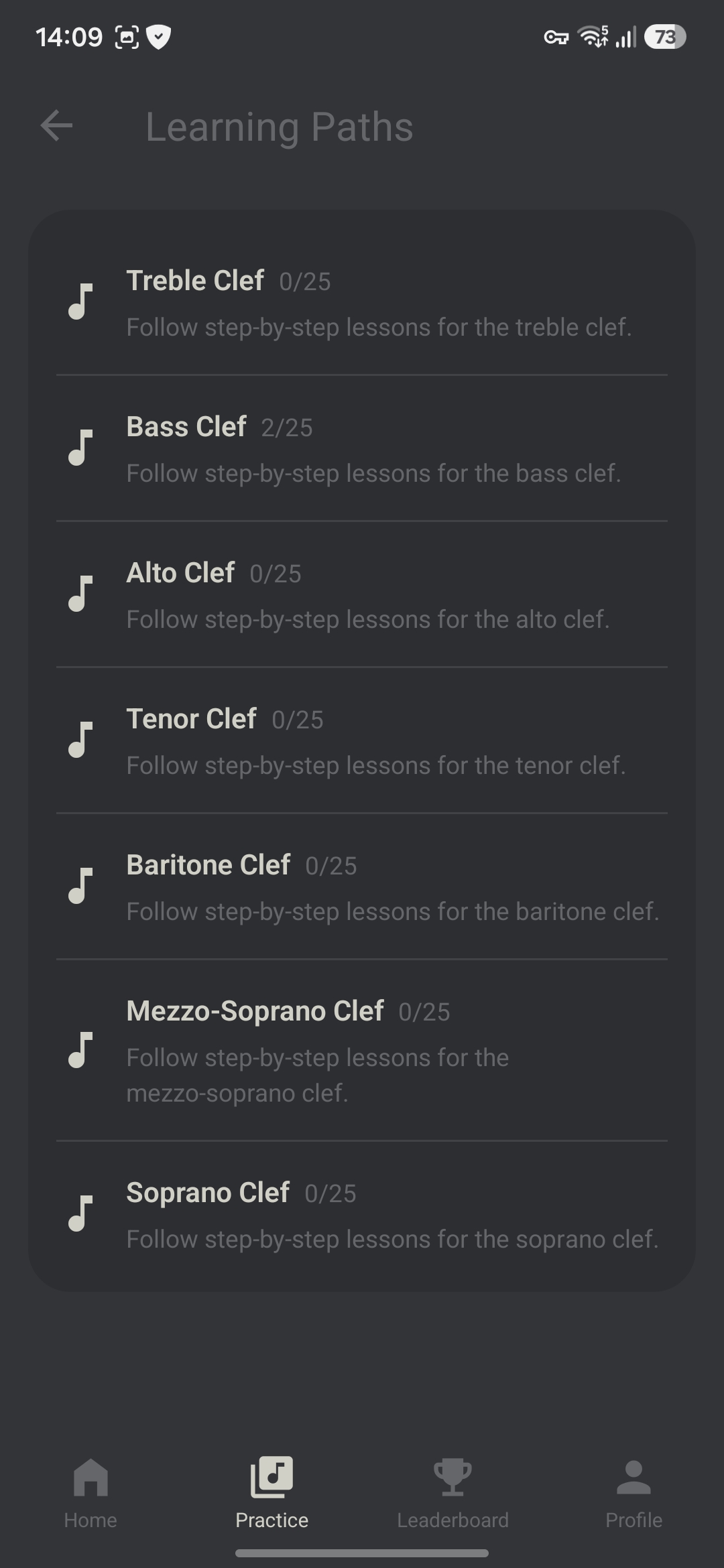
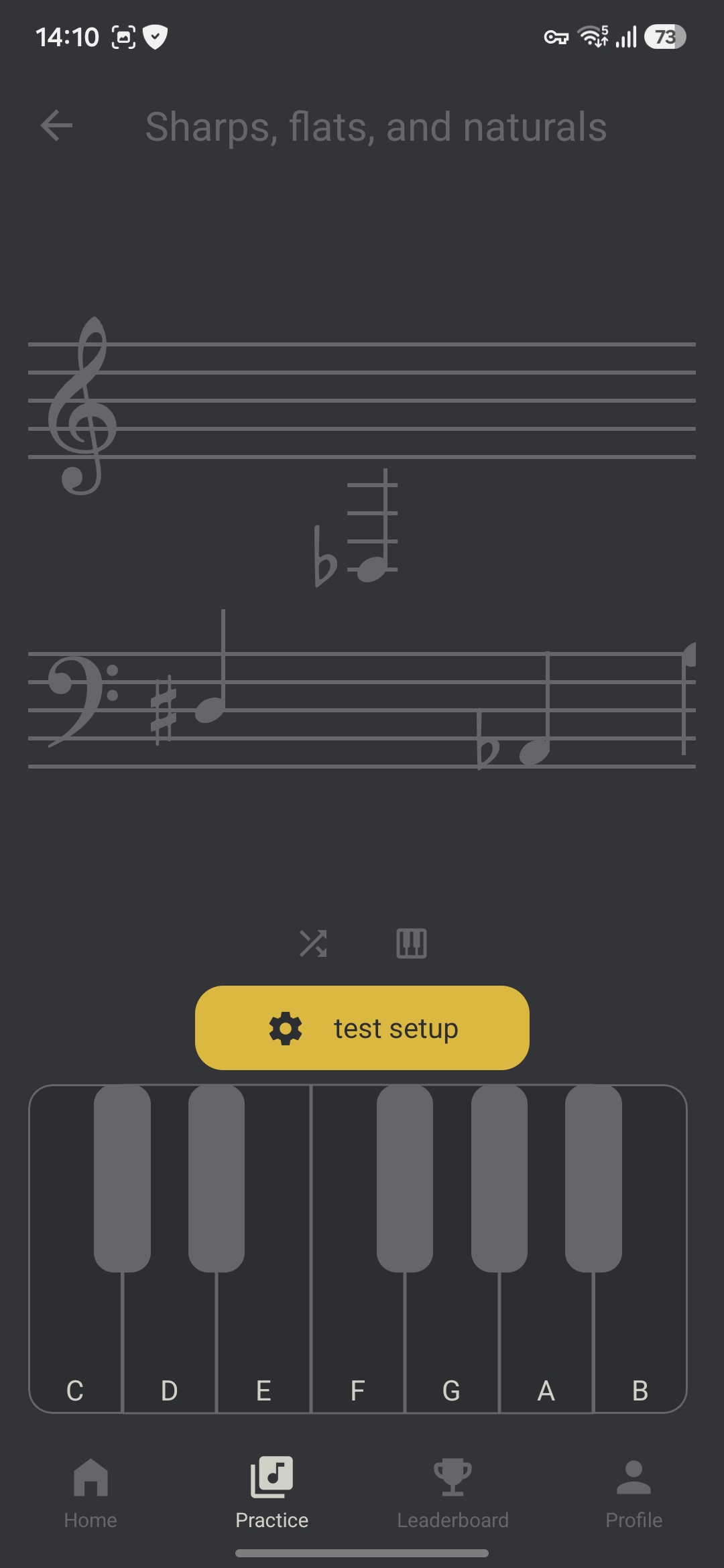
The main test screen is built around this idea. You can run a timed session or a set number of notes, choose a difficulty and pick a clef. Tempo supports treble and bass, as well as alto, tenor, soprano, mezzo soprano and baritone. You can answer using a piano keyboard or letter buttons, with swipes to enter sharps and flats.
Practice beyond the test
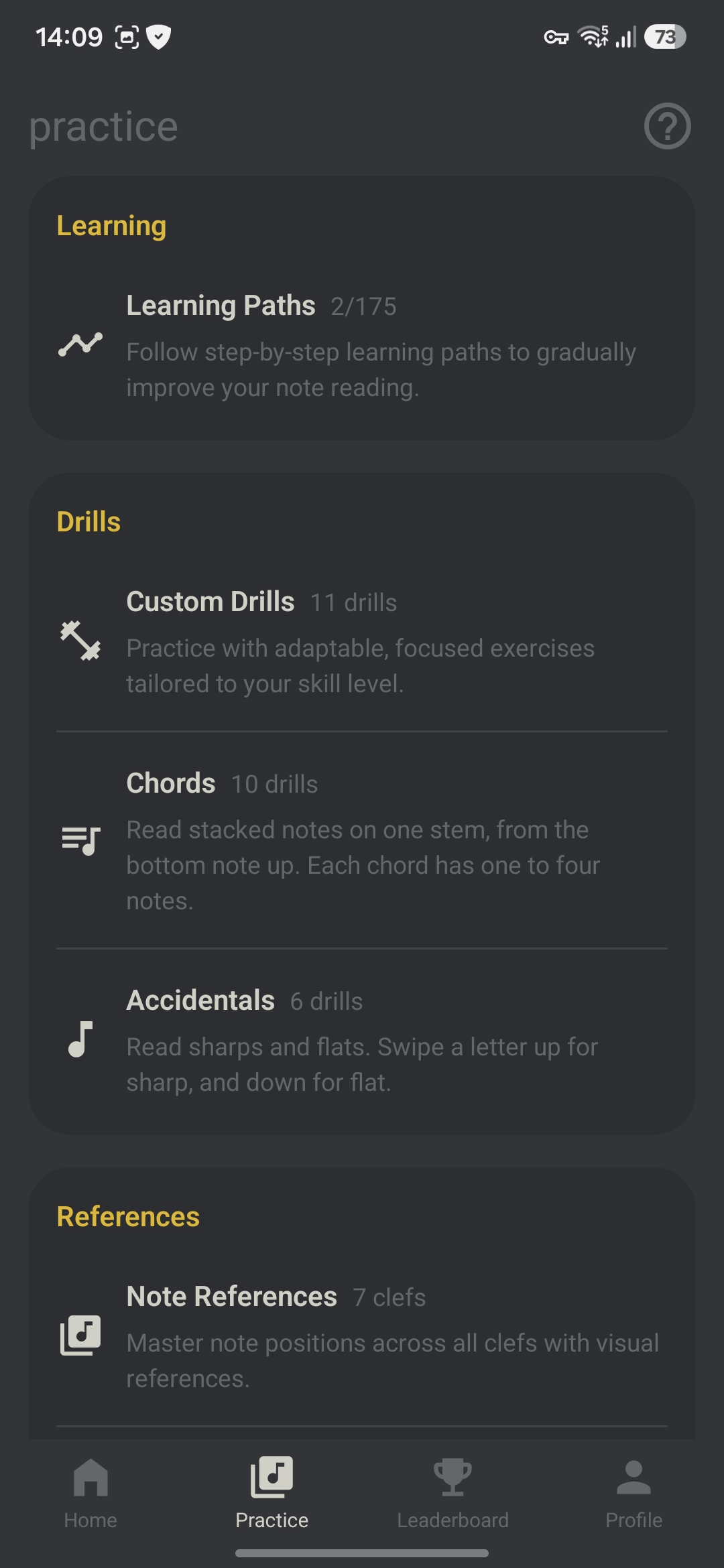
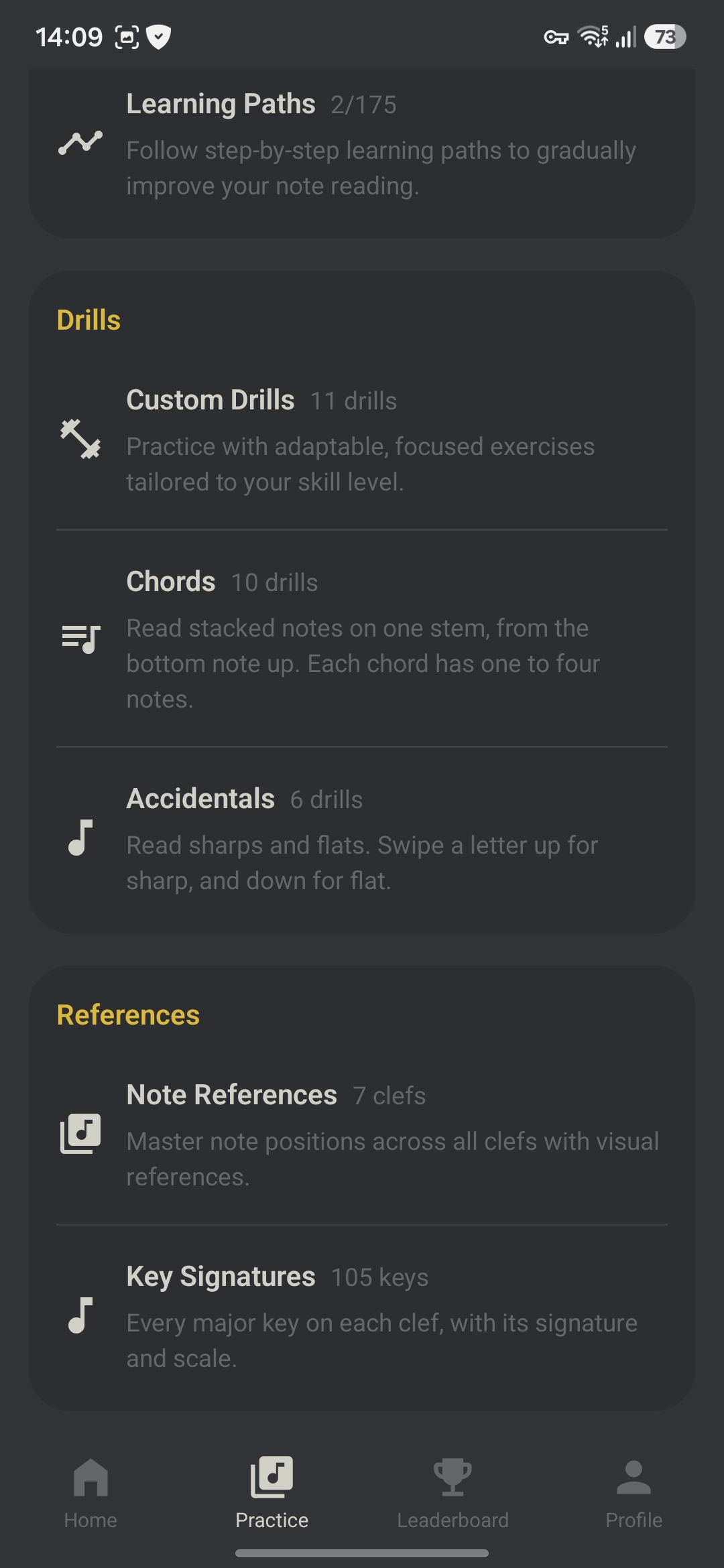
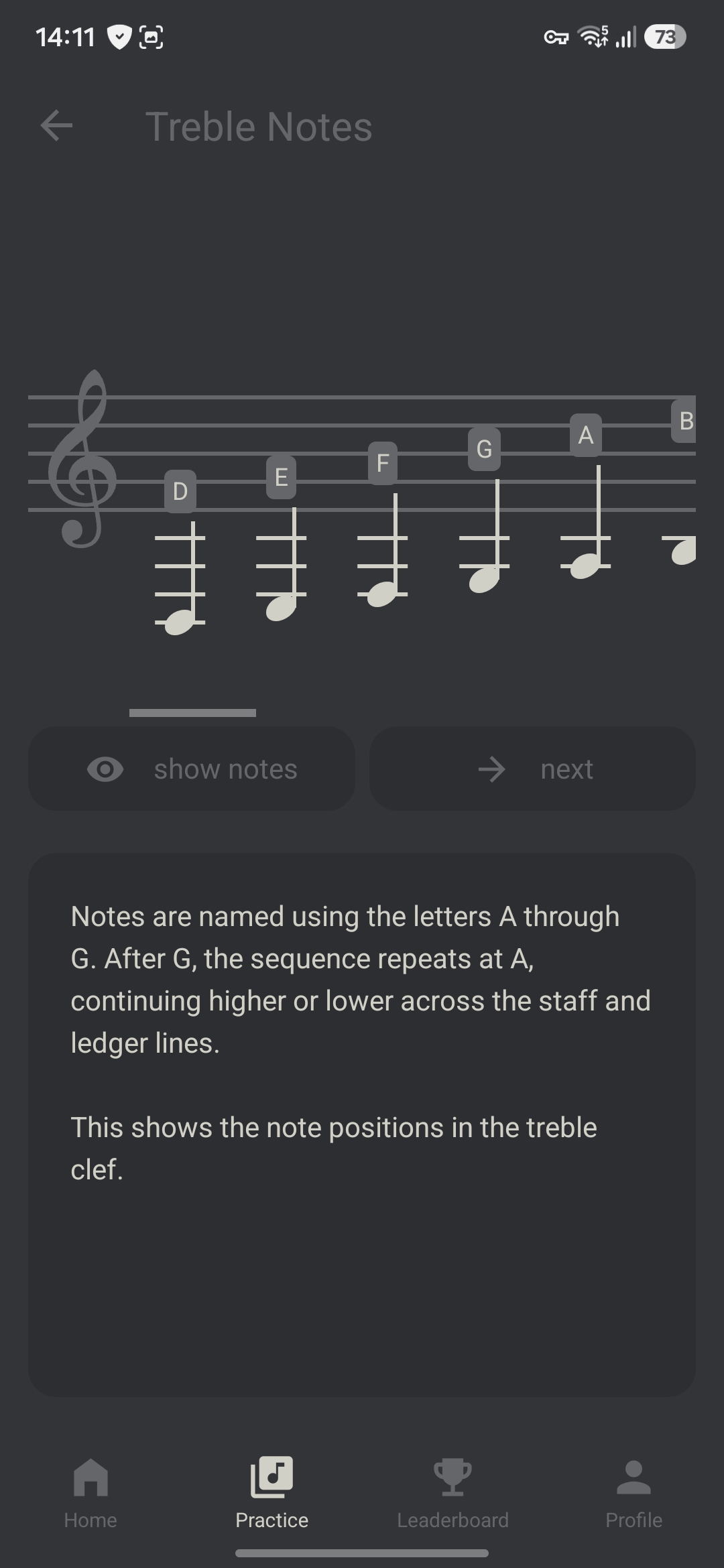
I also knew that repeating tests alone would not be enough. I wanted a way to isolate the parts of reading that actually slow me down, then return to a scored test afterwards. That led to the practice tab, where users can work on specific skills without worrying about their score.
A lot of the practice catalogue came directly from the things I found hardest.
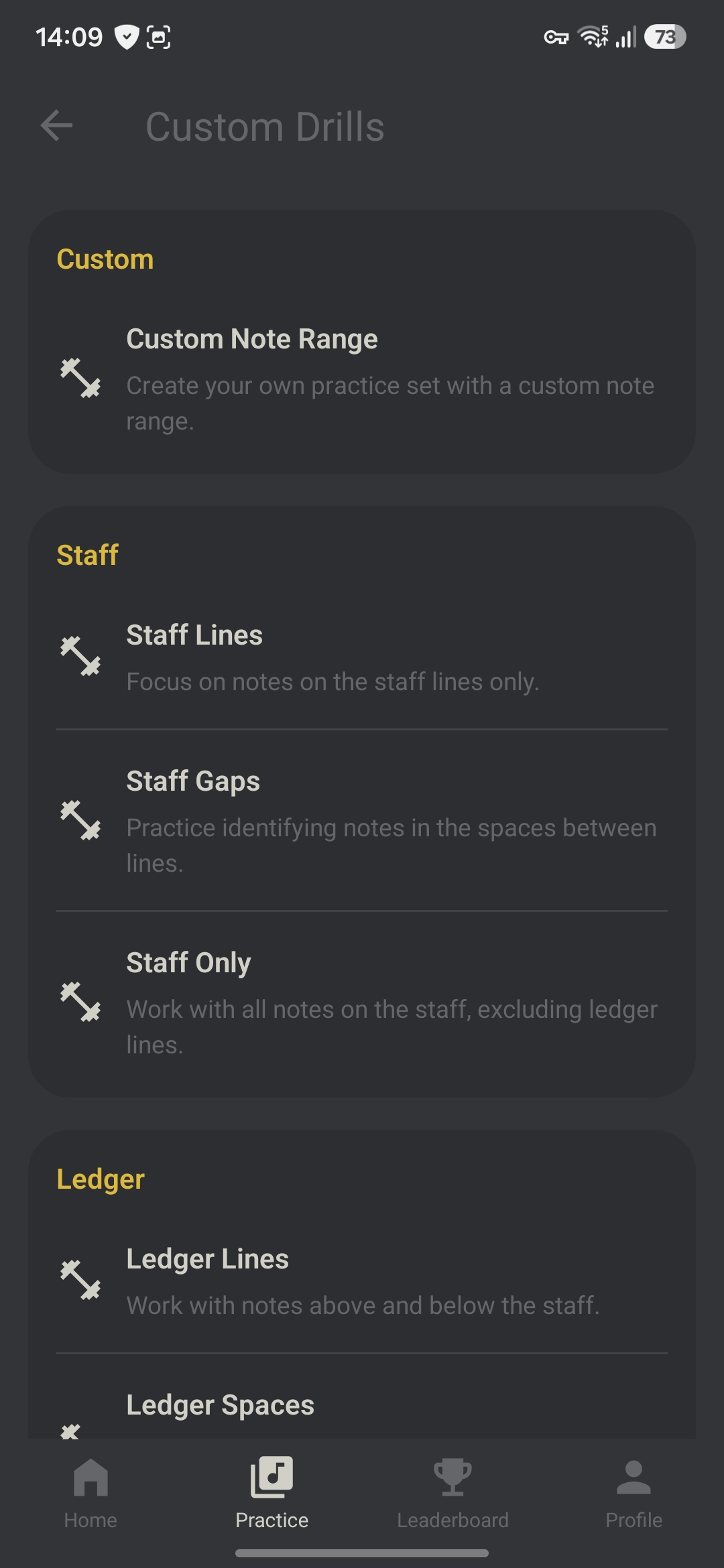
Ledger lines were an obvious starting point. Counting them is still the part of reading I trust least, so I added drills for ledger lines, ledger spaces and notes outside the staff. There are also drills for staff lines and spaces, along with custom ranges for targeting specific weaknesses.
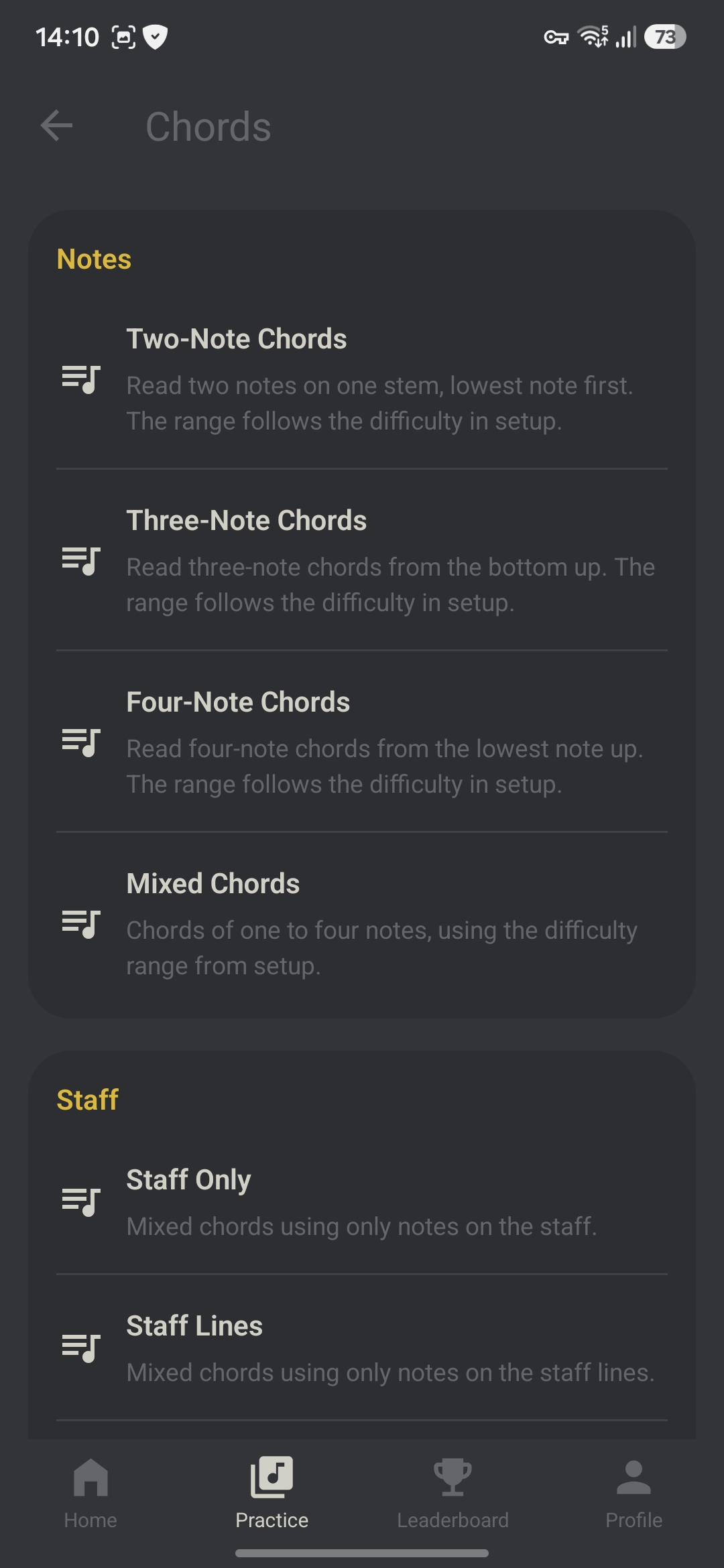
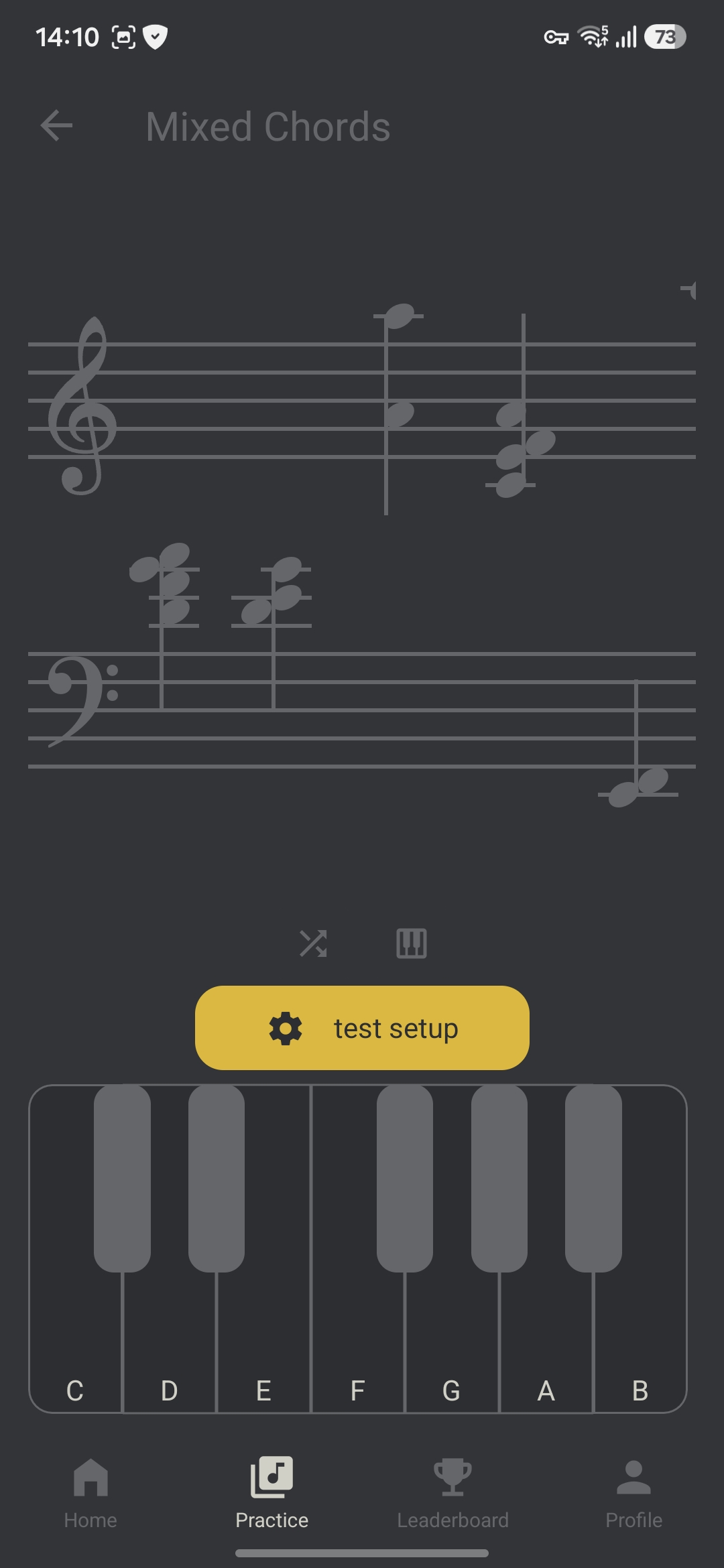
Chords presented a different challenge. When multiple notes share a stem, it can be harder to tell which line or space each note occupies, especially with ledger lines. Chord drills let users practise identifying two, three and four note chords, including chords made entirely of ledger line notes.
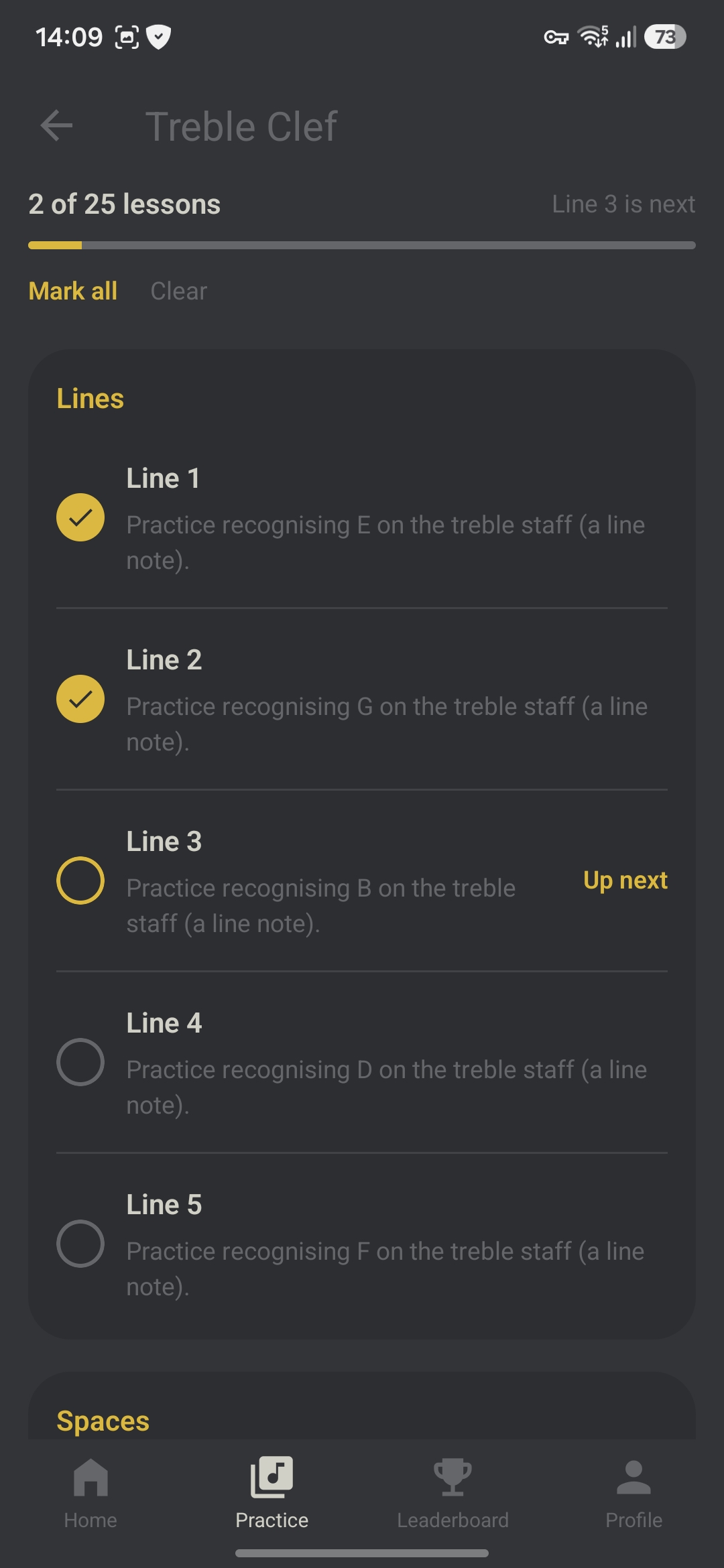
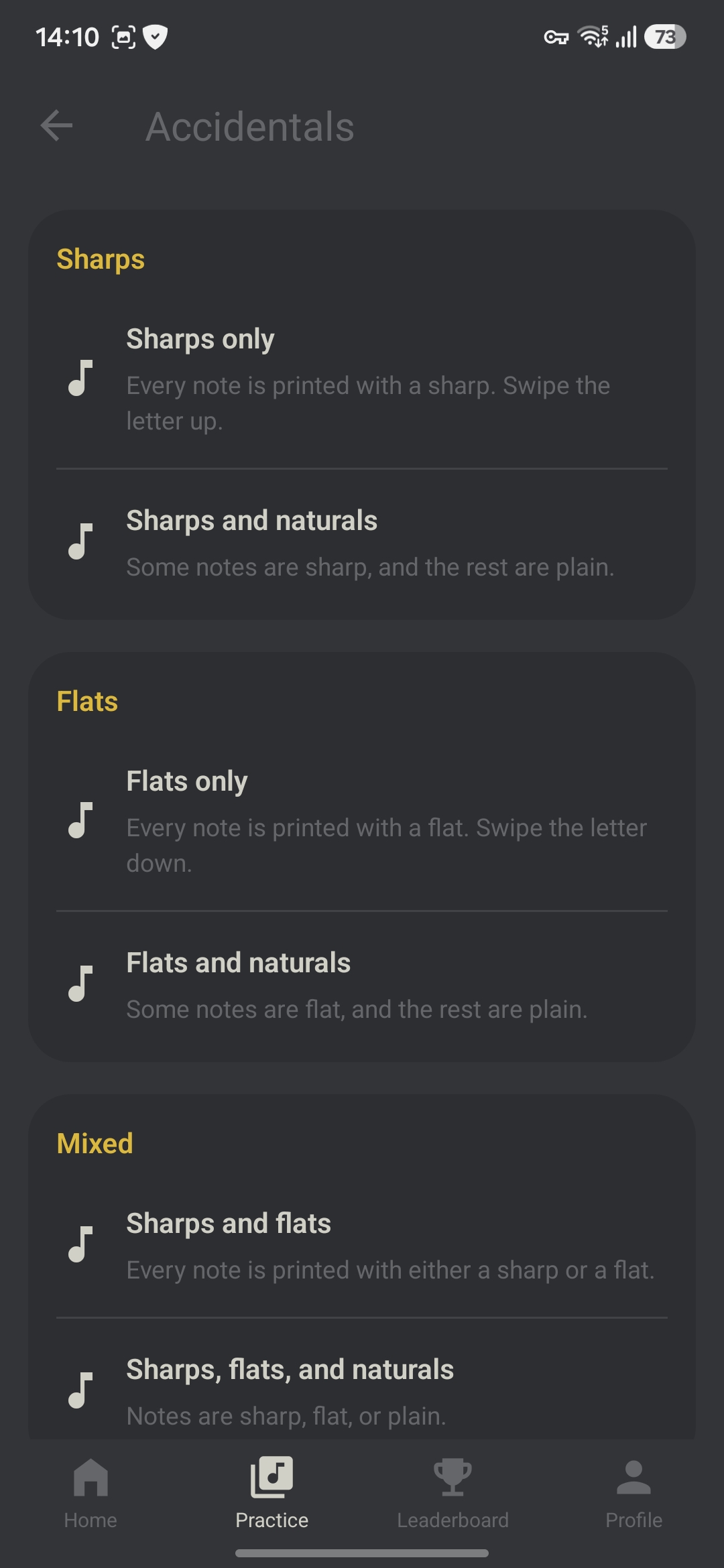
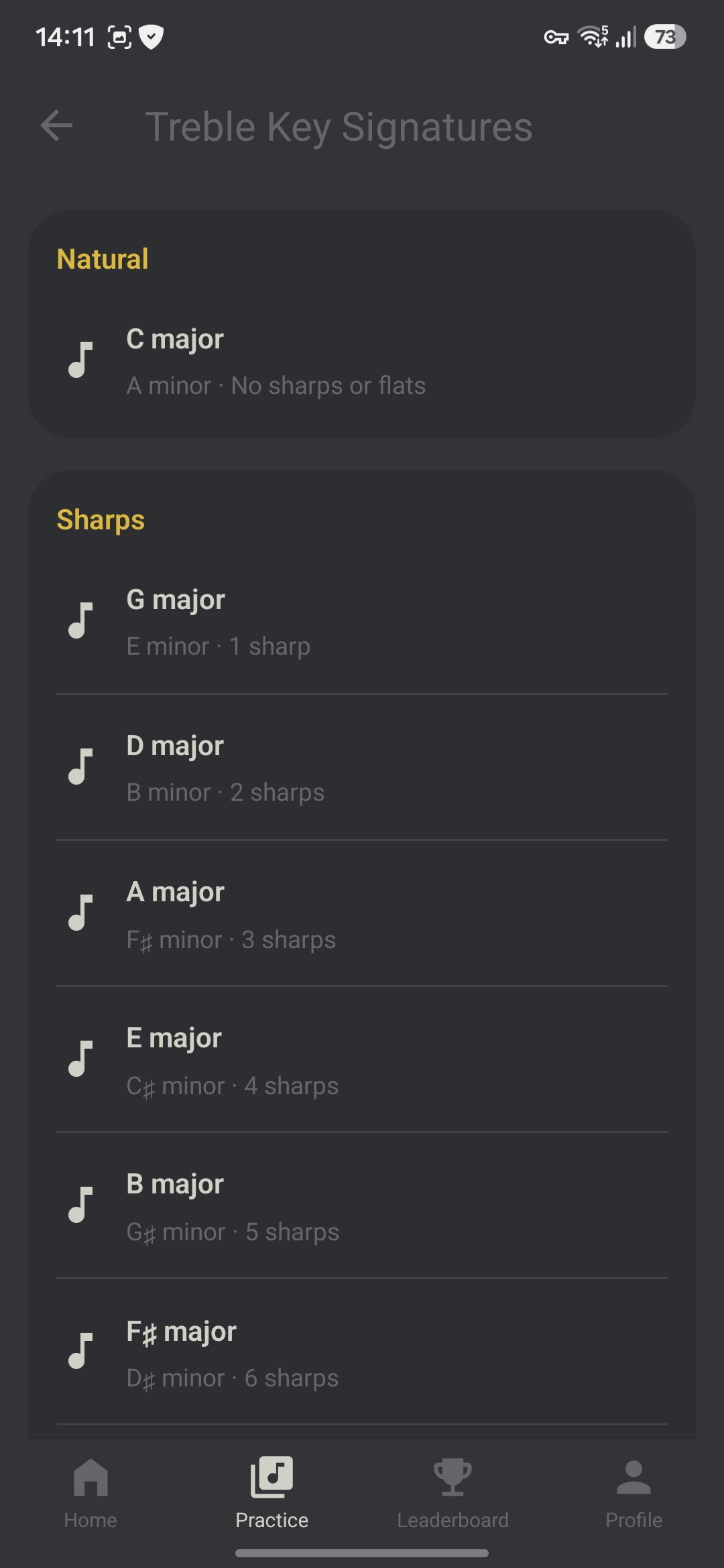
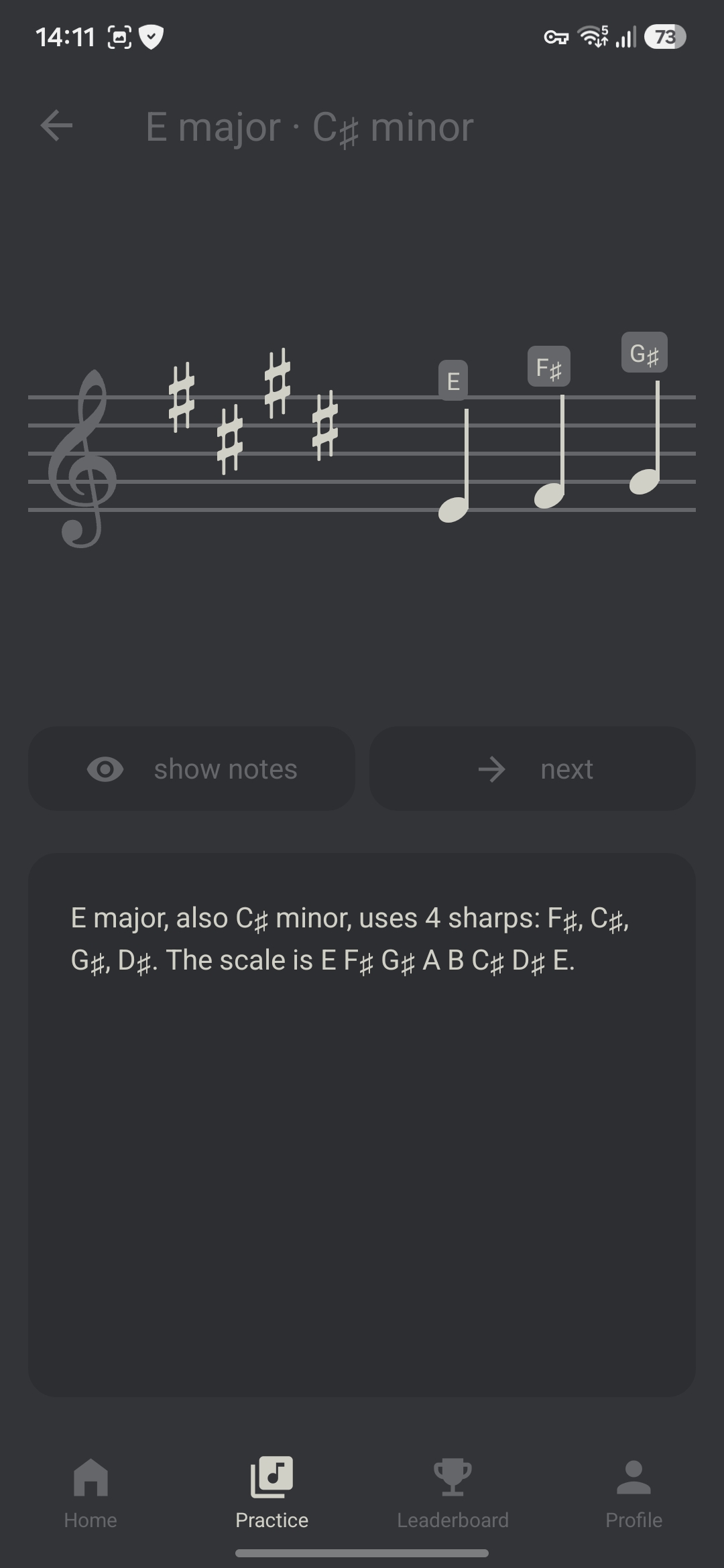
Accidentals have their own drills for sharps, flats and mixed combinations. For anyone learning a new clef, there are also step by step learning paths, note references and key signatures.
Tracking progress and customisation
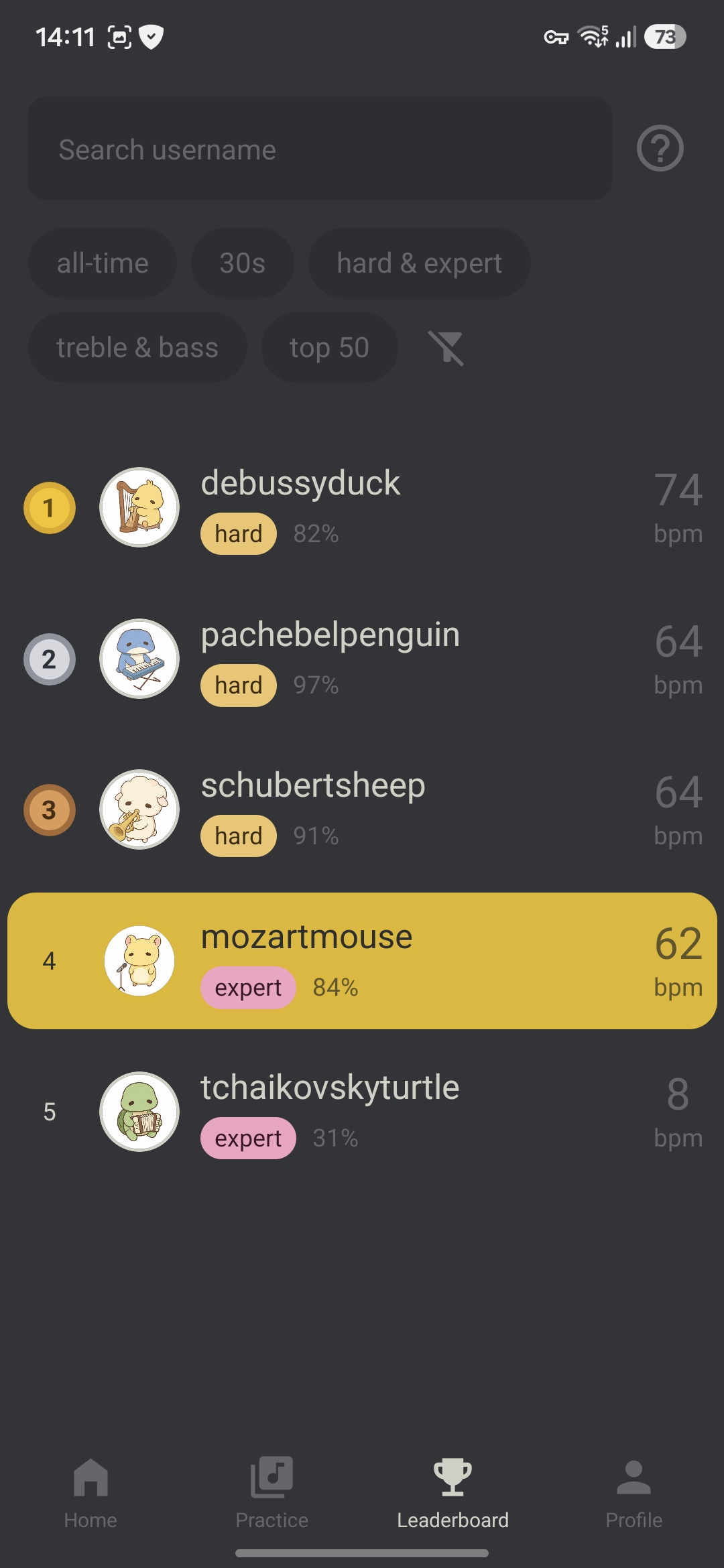
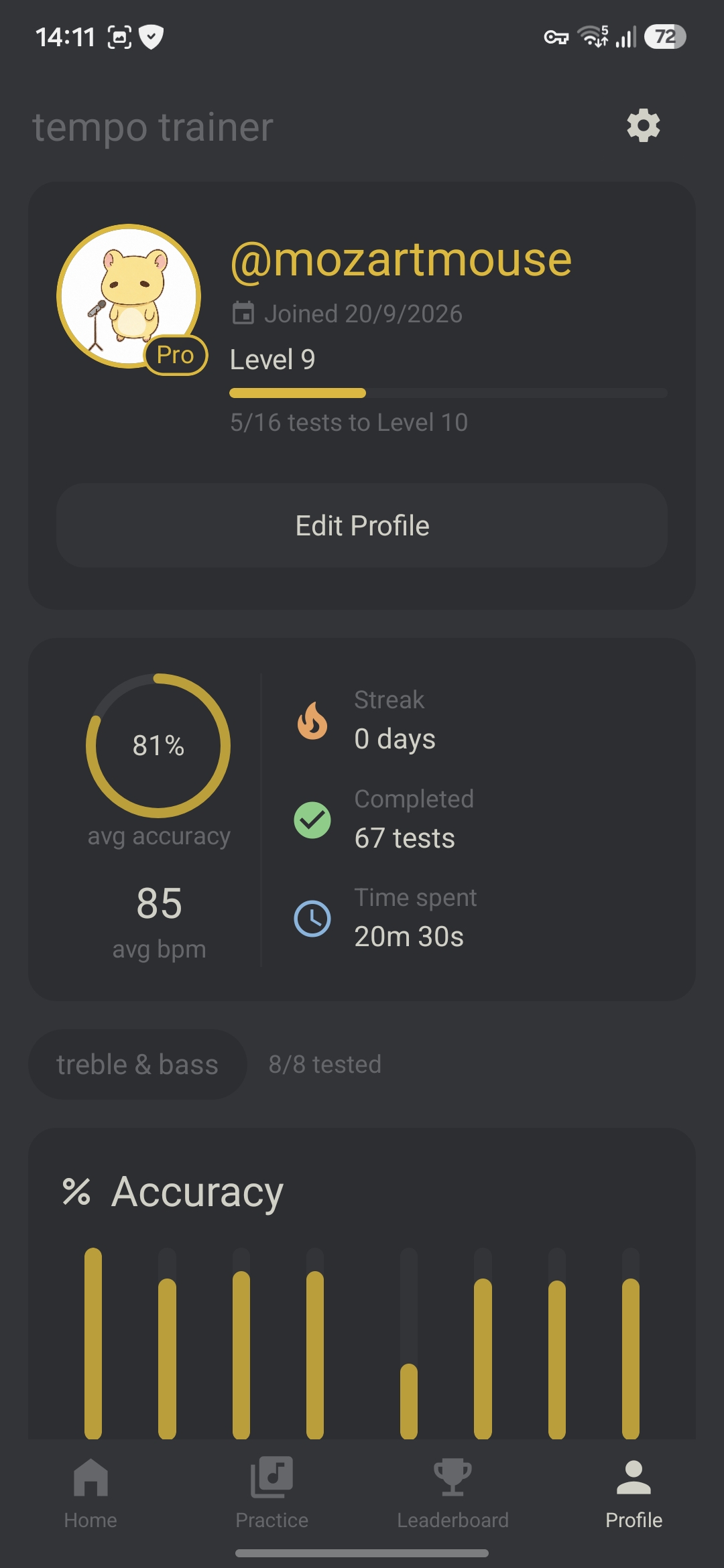
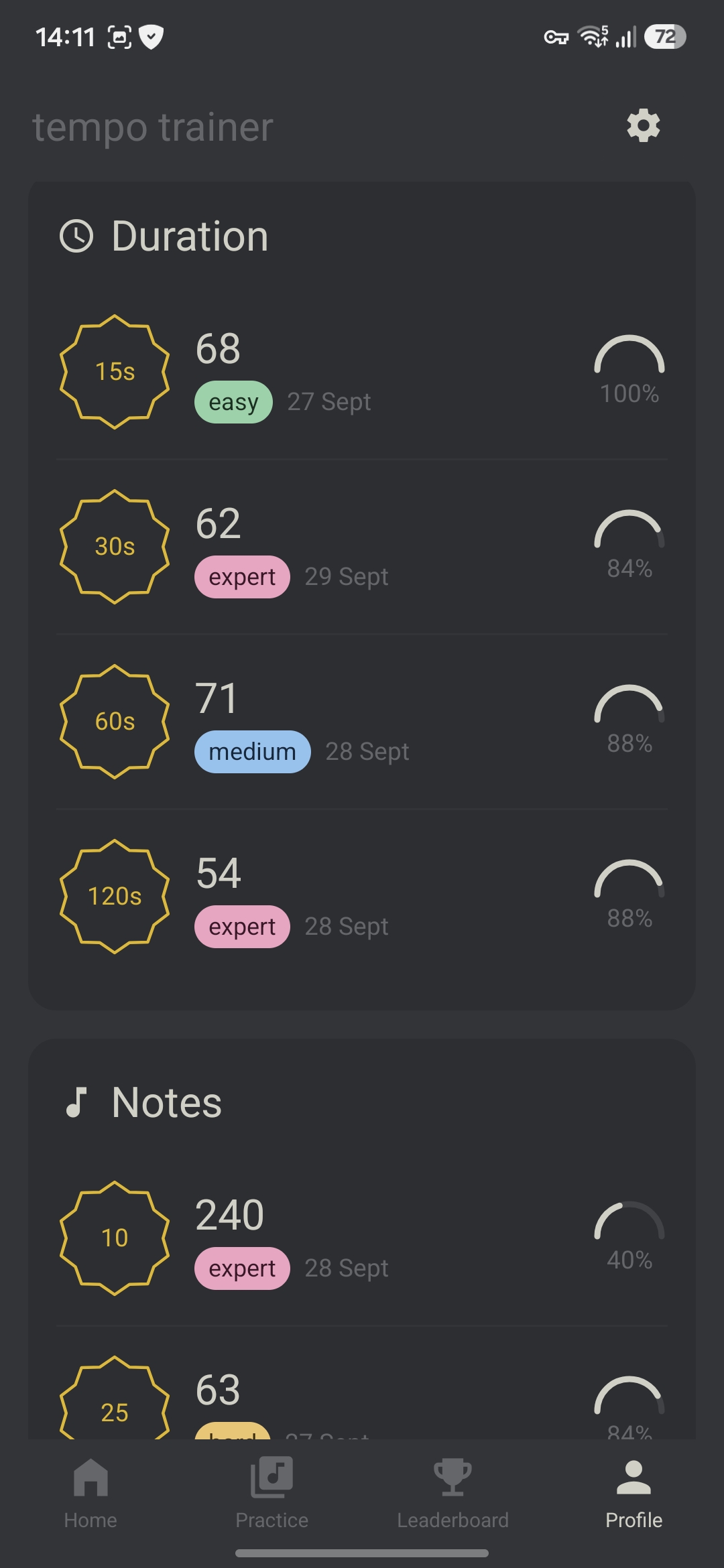
Beyond the practice experience, I added profiles and leaderboards to give users more reasons to keep coming back. Profiles show streaks, completed tests, time spent and personal bests, while leaderboards let users compare their results with others.
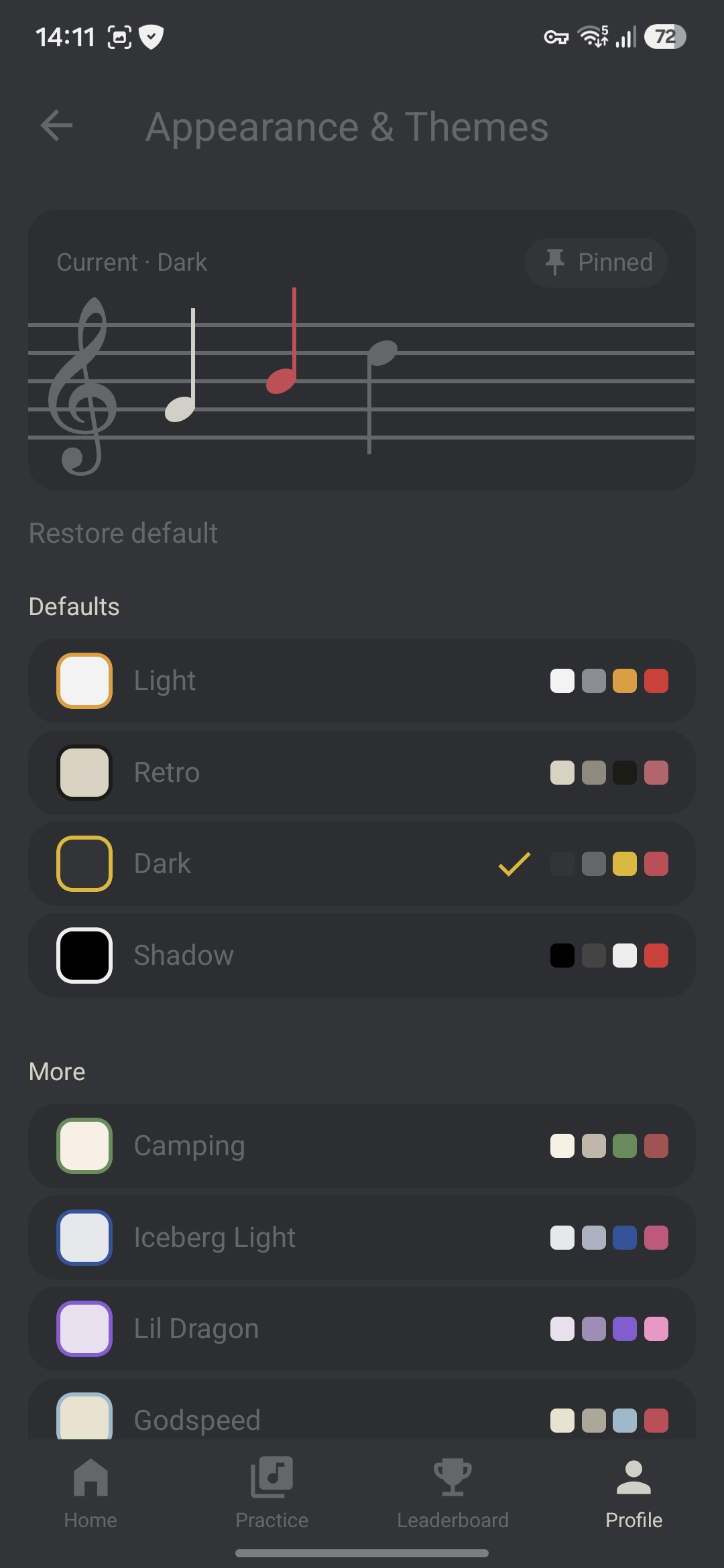
I also spent a lot of time refining the interface and building reusable components to keep the design consistent. I used NativeWind to style the React Native app with Tailwind classes, and created around 30 themes so users could customise its appearance.
Throughout the design process, I tried to balance customisation with keeping the app straightforward to use.
03. Building the app
Tech stack and architecture
Tempo is built with React Native and Expo. The client uses Zustand for local state and TanStack Query for server data such as leaderboards. The backend uses NestJS and Prisma with Postgres, while Supabase handles authentication. I also integrated RevenueCat for the optional Pro subscription rather than building store billing myself.
Since this was a personal project, I wanted to think carefully about running costs and how the app would scale. I wanted to include the features I had in mind without making the backend unnecessarily complicated or expensive to maintain.
Keeping practice responsive
One decision was to keep practice responsive by running tests and drills on the device. Naming a note should not have to wait for a network request. The backend handles accounts, personal bests, streaks and leaderboards without getting in the way of practising.
I also kept profile data focused on useful summaries rather than storing every completed test. Profiles hold streaks, completed tests, time spent and a compact set of personal bests. Average speed and accuracy are derived from those bests, rather than requiring a full practice history to be retrieved and processed whenever someone opens their profile.
Leaderboards and subscriptions
The leaderboard required a different approach because results need to be comparable across users. Only 30 and 60 second tests are ranked. Weekly and all time leaderboards focus on hard and expert tests in treble and bass, while the daily leaderboard includes every clef and difficulty.
Scores are not based on raw speed alone. Speed is scaled by accuracy, with a modest bonus for harder difficulties. This gives accuracy and difficulty a role in the result, rather than simply rewarding whoever answers the fastest.
The core tests are free. Pro unlocks additional practice content, including later lessons, most drills, chords, references and key signatures. RevenueCat handles subscription billing, while the app syncs whether a user has an active entitlement.
These decisions let me build the features I wanted while keeping the data model and backend practical to maintain.
04. The challenges
Building my own music notation renderer
One of the biggest challenges was rendering the music itself.
I initially looked for an existing notation library, but the options I found were designed for React on the web rather than React Native. I ended up building my own renderer using SVG.
This meant working out how to position notes and other notation elements correctly. A note's position depends on its pitch and clef, while accidentals, stems, ledger lines and chords all need to line up properly.
I had to handle this positioning logic myself to keep the notation consistent across different notes and clefs. SVG gave me the flexibility I needed, but it also meant taking responsibility for the details that an existing library would normally handle.
Getting audio playback right
I also wanted users to hear the notes as they practised. One challenge was keeping playback responsive when users typed quickly. I initially had to consider whether to use a separate audio sample for each note or pitch shift a smaller set of samples. Pitch shifting would reduce the number of files, but I ran into issues with playback delay and static when triggering notes rapidly.
I ended up using open source WAV samples for individual notes. This meant more audio files to manage, but gave me more reliable playback without the same issues when answering quickly.
Choosing a backend host
I wanted to keep the app as cheap as possible to run, ideally using services that could scale to zero when nobody was using them.
I tested AWS, Azure and Google Cloud to see which worked best for my requirements.
The AWS options I tried did not give me the free setup I was looking for. With the Azure configuration I tested, I experienced cold starts of around 60 to 120 seconds. That was too long for an app where users might expect the backend to respond quickly.
Google Cloud Run was easier to set up for my needs and gave me cold starts of around 10 seconds in my testing. It also supported container based deployment and scaling down when the service was not being used.
These timings were specific to the configurations I tested, rather than a comparison of every possible setup on each platform. In the end, Cloud Run gave me the balance of cost, performance and simplicity I was looking for.
05. From development to release
I built most of Tempo in 2025, but never got around to releasing it. I continued using it myself for about a year, fixing things and making improvements along the way.
Eventually, I showed the app to a few people who encouraged me to release it. That pushed me to finish the remaining work and go through the process of publishing it on Google Play.
Testing beyond my own device
Getting the app ready for release was a different challenge from building it. Something could work perfectly on my own device but still break under different conditions.
During closed testing, I discovered issues I had missed during development. One example was font scaling. Android lets users increase their device's font size, and this affected some of the layouts in the app. Screens that looked fine with my settings could become cramped or display incorrectly with larger text.
It was a good reminder that testing on one device is not enough. I needed to consider different settings and make sure the app remained usable for people with different preferences.
Getting through Google Play
The Google Play release process also took longer than I expected.
I had to complete closed testing, collect feedback, address issues and apply for production access before I could release the app publicly. There was also the waiting involved in getting submissions reviewed and approved.
At times, it was frustrating to have an app that was largely finished but still be waiting for the next stage. The process was not entirely on my own timeline.
However, closed testing was useful beyond meeting the requirements. It helped uncover issues I had missed and made me look at the app from the perspective of someone who had never used it before.
After spending so much time building the app, getting it published was a milestone. Tempo was no longer just something I had built for myself. Other musicians could finally use it, and I could start learning from their feedback.
06. What's next?
Getting Tempo in front of people
Now that Tempo is released, I want to focus on getting it in front of more people and seeing whether it is useful to other musicians.
I am planning to experiment with different marketing channels, starting with Reddit communities around piano, music learning and typing tests. I also want to try making short videos for TikTok and other platforms to show how the app works and what makes it different from traditional sight reading exercises.
I am not sure yet which approach will work best, so I want to try a few things, see what resonates with people and learn from the feedback.
Future Improvements
If the app gains traction, I would also like to explore releasing an iOS version. For now, I want to see how people respond to the Android release before committing more time to expanding to another platform.
There are still plenty of things I would like to add too. I want to keep refining the practice experience, add MIDI support and explore more ways to help users develop their sight reading skills. There is a difference between building something based on what I think would be useful and seeing what actually helps other musicians.
Takeaway
Building Tempo gave me the opportunity to work across mobile development, backend architecture, database design, custom graphics rendering, subscriptions and cloud infrastructure. It also made me think about the financial side of running a product: keeping the core app free, keeping running costs low and giving users an optional way to support it.
Most importantly, it taught me that building an app is only part of the work. Making it reliable, getting people to use it and continuing to improve it all take time and effort.
Tempo took longer to release than I originally planned, but I am glad I followed through and made it available to others.